AlphaTheta DJM-A7: What DJs Need to Know
You arrive for a bar residency with a laptop full of House, Disco and Tech edits. The outgoing DJ is still playing, the booth is tight, and the mixer is new to you. Your first job is to get your opener into the headphones and work out how to bring it into the room.
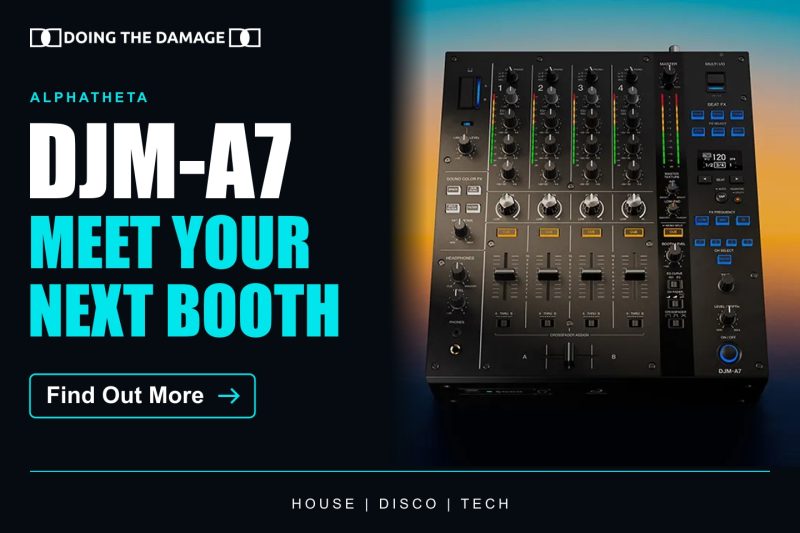
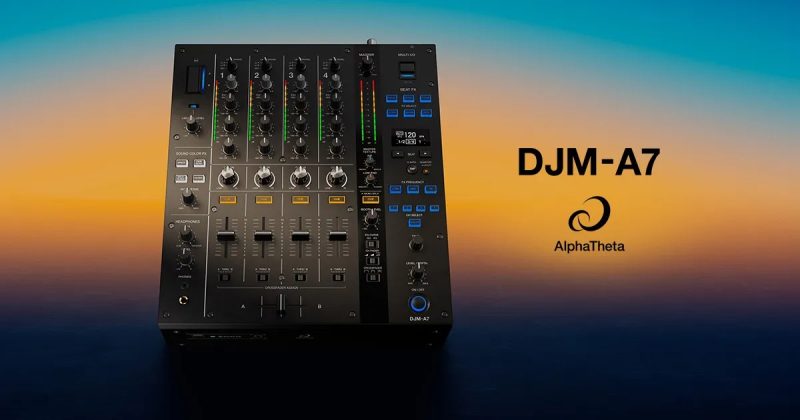
The AlphaTheta DJM-A7, announced on 10 November 2026, addresses that kind of shared booth with four channels and two USB-C computer connections. AlphaTheta lists support for rekordbox, Serato DJ Pro and djay, with rekordbox Hardware Unlock and paid access required for the listed Serato and djay integrations. Check your exact software, operating system and licence before travelling. AlphaTheta’s launch announcement
This guide draws on the published specifications and DTD’s suggested preparation routine. Our hands-on assessment is still to come.
Start with the DJ changeover
Dual computer connections give you somewhere to plug in while the previous DJ remains connected. The practical benefit is time to check your setup before the last record ends.
Agree which channels you can use. Connect to the spare computer port, confirm that your software sees the mixer and route a familiar local track to an agreed spare channel. Keep its fader down while you check the cue signal and channel meter. Confirm the source selection and crossfader assignment before raising that fader. The outgoing DJ can disconnect once their audio has finished and you have confirmed which cable belongs to which setup.
For your first club booking, rehearse that sequence at home wherever possible. A resident can write down the venue’s normal channel allocation and leave it beside the booth. A touring DJ should get the exact mixer model and connection plan onto the rider. Each approach saves the same awkward conversation halfway through an outro.
Meet Master Texture and Split Filter
Master Texture uses Air and Low End controls to alter the overall tonal character. AlphaTheta describes the ranges as Smoky/Bright and Smooth/Punchy. Its Split Filter focuses mainly on the midrange while preserving the rhythmic character of the highs and lows. Those descriptions come from the manufacturer. Feature explanations from AlphaTheta
At soundcheck, play a tune whose kick and vocal you know well. Ask the resident or engineer about the established Master Texture setting before adjusting it. Listen from the floor if you can, make one small change, then return to the starting point and compare. A brighter vocal in the booth can feel very different beside a front-of-house speaker.
For Split Filter, try a percussion-led transition first and listen to what remains audible as you turn the control. Then try the same move over a vocal edit. Learn where the lyric becomes less clear before using that movement in a busy mix.
Check the fader and effects behaviour
The A7 offers six Beat FX selected with illuminated buttons. Its optional Soft Mix Curve reduces high frequencies as the channel fader comes down. That makes the chosen fader mode worth checking before your first long blend. DJM-A7 controls and specifications
Try lowering a disco record underneath a modern house edit and listen to the hi-hats as well as the vocal. Decide whether that curve suits the transition you have planned. Before an echo-out, check the selected effect, its assigned channel, timing and depth. You want to know what each button does before the room hears the result.
Headphone monitoring and track previews
The mixer has wired headphone sockets and built-in SonicLink support for compatible headphones. AlphaTheta quotes 9 ms wireless latency. Treat that as its specification while you assess the feel for yourself. Link Cue also supports private track previews with compatible PRO DJ LINK players, and Touch Preview and Touch Cue depend on the connected player. Monitoring compatibility and requirements
Check the actual headphones and players available at the booking. If your normal approach involves a cable, pack it. If you plan to use wireless monitoring, practise pairing and mixing with that combination beforehand. When preparing a request, audition the intro and first vocal before committing to it, particularly when several edits share the same title.
UK price and availability
Checked on 12 November 2026, The DJ Shop lists the DJM-A7 at £1,369, with incoming stock and the date to be confirmed. The Disc DJ Store also lists £1,369, with pre-order stock expected on 14 December 2026. These are the retailers’ displayed prices and availability estimates. Check the delivery date against your booking before ordering. The DJ Shop · The Disc DJ Store
At home, judge the purchase against the setup you want to practise on and your need for four channels. For a venue, ask how often visiting DJs need to connect a second computer. A demonstration using your own laptop, headphones and familiar tracks will tell you more about that workflow than a list of converter specifications.
Your first-set check
- Confirm software access, connection cables and the channel allocation.
- Load a local opener and check it in the headphones before opening its fader.
- Check source selection, crossfader assignment, fader mode and active effects.
- Agree the room’s Master Texture setting with whoever runs the sound.
- Rehearse the handover and keep a second playable music source ready.
Watch the introduction video linked by AlphaTheta. For music preparation before the booking, read DTD’s Serato offline crate guide and our guide to mixing older disco tracks.