Best USB Sticks 4 DJs
The best USB sticks for DJs are the ones that export efficiently, work on the players in front of you and have a tested backup beside them. Whether you are practising in your bedroom, playing your first bar residency or flying out for an international booking, the job is the same: get your music from rekordbox into the booth without surprises.
You do not need the biggest drive or the highest number on the packet. You need the right connector, enough capacity, sensible write performance and a preparation routine you trust. Here are four options from SanDisk, Kingston, Lexar and Samsung, with UK buying links and the details that matter to DJs.
Prices and availability checked on 15 October 2026. Prices below include VAT, before delivery, and may change. This is a researched buying guide based on manufacturer specifications and retailer listings, not a hands-on speed or failure-rate test.
Best USB sticks for DJs: the quick shortlist
- Starting out on a budget: Kingston DataTraveler Exodia 64GB — £11.99 at CCL.
- Compact everyday option: Samsung BAR Plus 128GB — £27.98 at Currys Business.
- For regular, larger exports: SanDisk Extreme PRO 128GB (SDCZ880) — £69.99 at Currys.
- Premium alternative: Lexar JumpDrive P30 128GB — £72.79 at RS.
For a beginner, buying two affordable sticks can make more sense than putting the entire budget into one premium drive. For a working DJ, paying more for stronger write specifications can save preparation time. For a touring professional, a tested spare matters at least as much as the badge.
1. Kingston DataTraveler Exodia: an affordable starting point
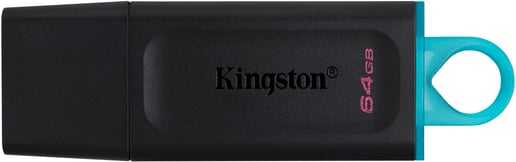
Our pick for: bedroom DJs, smaller collections and affordable secondary copies.
The 64GB Exodia gives you a useful amount of room without a big upfront spend. Its USB-A connector fits the storage ports used by many club players, while the removable cap and keyring loop keep the design straightforward.
Kingston specifies USB 3.2 Gen 1 compliance but does not promise a numerical read or write speed for this model. That distinction matters: the connection standard is not a guarantee of fast flash memory. Allow time for a first full-library export, and do not choose it expecting premium sustained writes.
At £11.99 for 64GB, two cost £23.98 before delivery. That is an approachable way to start with a main drive and a backup, provided you export and test both. Kingston lists a five-year warranty; it does not replace a music backup.
Buy Kingston DataTraveler Exodia 64GB at CCL · Kingston specifications
2. Samsung BAR Plus: compact metal construction
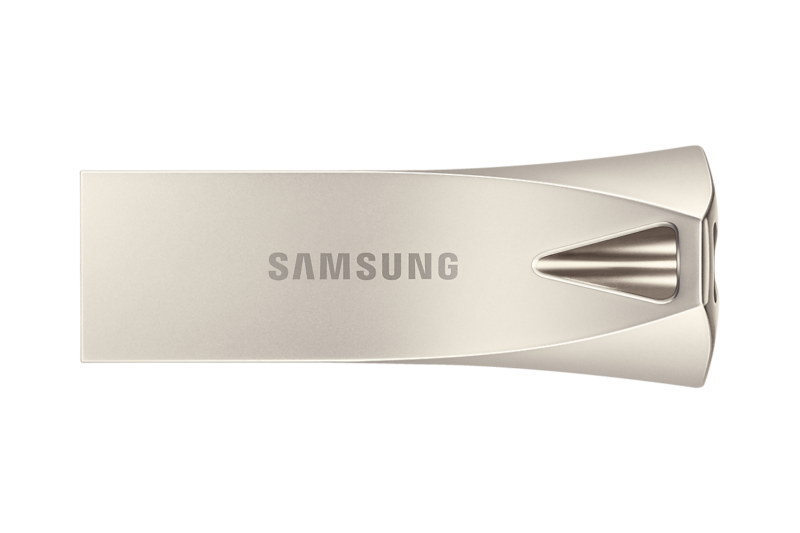
Product shown in silver. The linked 128GB option is Titan Grey.
Our pick for: mobile DJs, bar residents and anyone who values a small, solid-feeling drive.
The BAR Plus combines a metal body with a built-in keyring opening. Samsung advertises read speeds up to 400MB/s for the 128GB model, but does not provide a matching guaranteed write figure. A fast read headline alone cannot tell you how long a rekordbox export will take.
Samsung describes resistance to water, shock, temperature, magnets and X-rays under specified test conditions. Treat that as useful construction information, not permission to soak the drive or leave it in a hot car. The exposed connector still deserves care.
The verified £27.98 including VAT listing at Currys Business makes this a middle-budget option. Check the final delivered price and purchase terms. It is a sensible shortlist choice when portability matters more than chasing the fastest advertised write speed.
Buy Samsung BAR Plus 128GB at Currys Business · Samsung specifications and durability conditions
3. SanDisk Extreme PRO: stronger write specifications for busy DJs
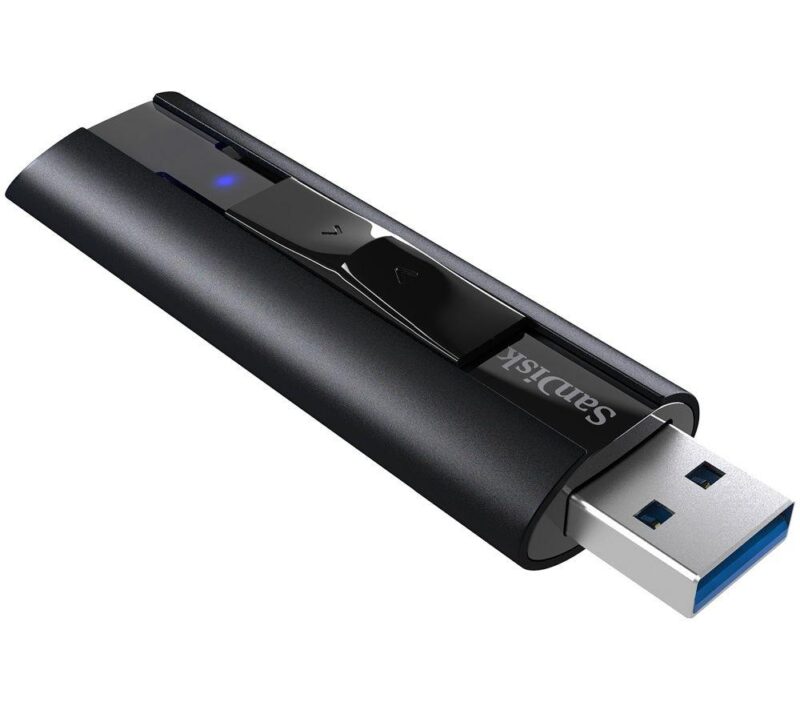
Our pick for: frequent exports, larger playlists and working DJs who want an advertised write-speed figure.
The SDCZ880 Extreme PRO 128GB is rated up to 420MB/s read and 380MB/s write. It has an aluminium casing and a retractable USB-A connector. The emphasis on writes makes it worth considering when your preparation involves regularly loading substantial amounts of new music.
The Currys price checked was £69.99. That is a considerable jump from a basic stick, so buy for your workflow: occasional small updates will not justify the same spend as frequent large exports.
Check the model number carefully. This is the SDCZ880 USB flash drive, not an Extreme portable SSD or a newer similarly named Extreme PRO dual-connector model. Advertised peaks require suitable host hardware and test conditions; they are not guaranteed rekordbox export speeds.
Buy SanDisk Extreme PRO 128GB at Currys · SanDisk specifications
4. Lexar JumpDrive P30: a premium alternative
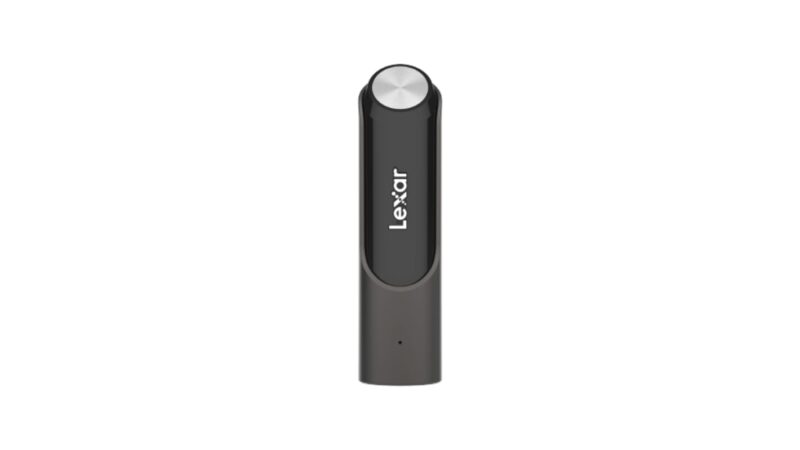
Our pick for: DJs comparing premium USB-A drives for regular library preparation.
The P30 is another option with published read and write figures. For the 128GB LJDP030128G-RNQNG version linked at RS, the accompanying Lexar datasheet specifies up to 450MB/s read and 420MB/s write. Do not apply the 450MB/s write claim shown for larger capacities to every P30.
The checked price was £72.79 including VAT. At that price, compare the exact version, warranty terms and delivered cost with the SanDisk before ordering. Lexar documentation and listings vary by capacity and revision, so confirm the specifications on the actual listing and packaging.
RS categorises this item under external storage, but the manufacturer part number identifies the JumpDrive P30 flash drive. As with every stick here, suitability for your particular CDJs still depends on formatting, export library and testing.
Buy Lexar JumpDrive P30 128GB at RS · Specifications for the linked P30 version
USB-A or USB-C for DJing?
Start with the player, then think about the laptop. USB-A remains a practical choice for many club booths. A USB-C laptop can usually prepare an A-type drive through a suitable computer-side adapter or dock. Check that the adapter supports data and the speed you expect.
A USB-C socket on DJ equipment does not automatically accept a music stick: it may be intended for connecting a computer. Consult the player’s manual for its USB storage input. Dual A/C drives can be convenient, but their size, exposed connector and fit around neighbouring sockets also matter.
USB 3.x drives can operate through compatible older USB connections at the slower connection’s speed. A 1,000MB/s headline will not turn an older deck into a faster reader. Avoid adding unnecessary adapters or hubs in the booth, and test any setup you intend to use.
How much USB storage does a DJ need?
- 32–64GB: a practical starting point for focused practice libraries and shorter sets.
- 128GB: a useful general-purpose size for many working DJs.
- 256GB: worth considering for larger collections or more lossless audio.
- 512GB and above: potentially useful for extensive mobile-DJ libraries, but only after confirming support and testing browsing and exports on your equipment.
A six-minute 320kbps MP3 is roughly 14.4MB, so 1,000 such tracks need about 14.4GB before artwork, databases and other overheads. Lossless files take considerably more space. Leave spare room rather than filling a drive to its limit, and remember that labelled capacity and usable space differ.
Read speed versus write speed: what actually matters?
Write performance affects preparation. It influences how quickly new music reaches the drive. Rekordbox also writes artwork and database information, so thousands of small operations can behave very differently from copying one large test file.
Read performance helps the player retrieve files. Once sufficient for playback, a larger advertised number does not improve sound quality. The laptop, adapter, port, drive temperature, remaining space and flash-memory behaviour can all affect transfers.
Compare exact capacities and model numbers. “USB 3.2” names an interface standard; it does not promise that every stick using it performs alike. None of the speeds above should be read as our measured results.
Rekordbox exports and CDJ compatibility
Copying music files onto a stick is not the same as preparing a rekordbox export. Use Export mode to transfer your analysed tracks and playlists, then verify that the expected cues, grids and browsing information appear on the player.
There are now two relevant export-library formats: Device Library and OneLibrary, previously called Device Library Plus. Newer equipment such as the CDJ-3000X, OPUS-QUAD and XDJ-AZ uses OneLibrary; other players use Device Library. A filesystem format and an export-library format are separate things.
Check the current rekordbox OneLibrary compatibility guidance against the exact player model. For mixed equipment, prepare and verify both library formats where required. Back up before converting an existing library: conversion can replace information already held in the destination library.
Use a current, tested rekordbox version and suitable player firmware, but avoid making untested software changes immediately before a booking. Also check supported audio formats: a correctly formatted USB does not make every audio file playable.
FAT32, exFAT and formatting your DJ USB
FAT32 with a Master Boot Record (MBR) partition layout is a common starting point for mixed and older booths. It is not a universal certification. Confirm the exact player manual, including its partition and capacity requirements, before preparing your drive.
Many newer models support exFAT, but older models may not. The official rekordbox USB-format FAQ lists supported equipment. Do not assume NTFS, APFS or a drive’s factory format will work simply because your computer recognises it.
FAT32 has a 4GB limit for an individual file; that is not a 32GB limit on total drive capacity. Some formatting tools restrict which FAT32 sizes they offer. If your tool does not offer the required format, use a reputable tool appropriate to your operating system rather than choosing an incompatible format for convenience.
- Back up the drive: formatting erases its contents.
- Check the target player’s filesystem and partition requirements.
- Format the correct removable drive, taking care not to select another disk.
- Export your playlists through rekordbox and wait for completion.
- Eject safely, reconnect and test on the intended equipment.
From first gig to international tour: build a backup routine
No brand can guarantee a failure-free set. Buy from a reputable seller, keep the receipt and test the full usable capacity of a new empty drive with a trustworthy verification tool before relying on it. A suspiciously cheap high-capacity stick is a poor place to save money.
Protect connectors from bending and grit. Avoid leaving a long drive where it can be knocked, let a hot drive cool naturally, and replace a stick that disconnects unexpectedly or repeatedly reports errors. A metal shell or warranty does not protect against every electrical fault or lost file.
- Bedroom DJ: keep the master music collection backed up and practise exporting, ejecting and loading playlists.
- Bar or club resident: carry at least two separately exported, tested drives. Include an emergency playlist on each.
- Touring professional: consider three tested copies, split between secure locations. Confirm the venue’s player models in advance and test each drive independently, without depending on a network link.
Your gig sticks are not a complete archive. Keep separate backups of the original audio and rekordbox library, with at least one copy away from the main computer. A 3-2-1 approach—three copies, on two storage types, with one off-site—is a useful target. Do not rely on venue Wi-Fi or a streaming login as your only recovery plan.
Which USB should you choose?
Start with Kingston Exodia if budget is the priority. Consider Samsung BAR Plus for a compact metal option. Compare SanDisk Extreme PRO SDCZ880 and Lexar P30 if you regularly export larger collections and want published write specifications.
For professional work, the right answer may be two or three proven drives rather than one more expensive model. Whatever you choose, format it for the booth, export it properly and rehearse the recovery plan.
Once the USBs are ready, give them music worth playing. Explore Doing The Damage for House, Disco and Tech edits, remixes and mashups to shape your next set.
Product images: Kingston/CCL, Samsung, SanDisk/Currys and Lexar/RS. Images are illustrative; confirm the capacity, colour and manufacturer part number before ordering.